
A few words are now capable of creating a whole movie.
That is what Sora 2 is capable of, it has the ability to turn small ideas into clear, movie scenes that look almost real.
You don’t need heavy editing or long scripts anymore. Just type, wait a few seconds and watch your story come to life.
This tool is built by OpenAI, and it feels now more natural and responsive than before. The new version improves how people, light and sound blend in each frame. It’s smoother, quicker, and far easier for anyone to try it doesn’t matter if you are a beginner or someone who already makes digital videos.
In this guide, you’ll learn how to access Sora 2 both on the web and on iPhone. We’ll also talk about invite codes, setup steps, main features, and quick fixes for common errors.
By the end, you’ll know exactly how to open open-sora 2.0, explore its tools safely, and start creating videos that look professional in a matter of minutes.
What Is Sora 2?
Sora 2 is an advanced text to video system developed by OpenAI, the same team behind ChatGPT and DALL-E. It is build on the basis of Sora, which had the ability to turn short prompts into lifelike clips. The second version goes above and beyond, it adds more detail, smoother movement and better handling of light, depth and camera angles.
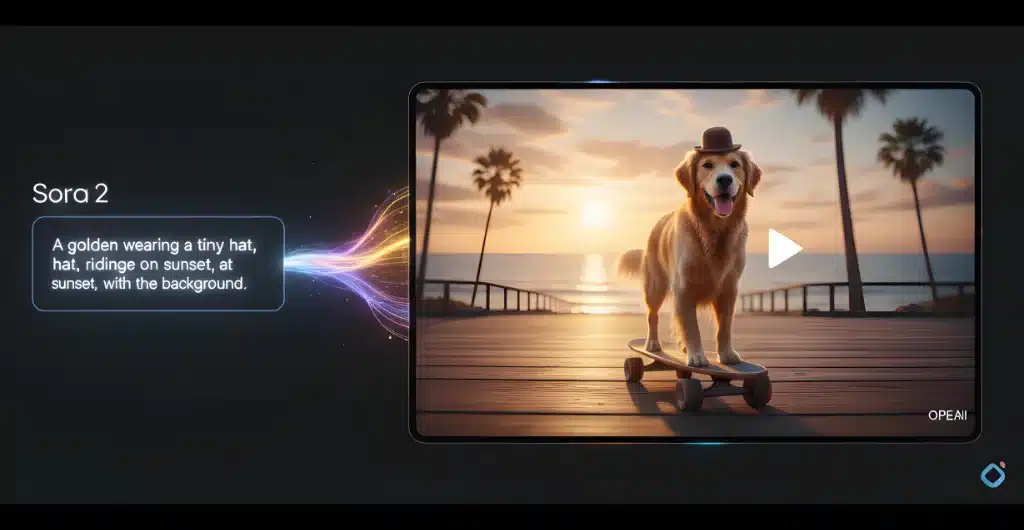
Sora 2 was designed to help creators make short videos directly from text in a few seconds. The idea of Sora 2 is simple, just type what you want to see and the AI creates an entire scene, complete with characters, motion and background sounds. You can even guide how the camera moves or how long the clip should be.
Core Capabilities of Sora 2
Here’s what makes Sora 2 stand out:
- It creates realistic video clips directly from text input.
- It can edit or extend existing clips without breaking motion flow.
- It syncs audio with movement, making lip-sync and ambient sounds more accurate.
- It offers better stability, fewer glitches and smoother rendering.
- It gives users finer control over framing, pacing, and visual tone.
Overall, Sora 2 shows how fast AI video tools are improving. It’s not just a small update it’s a major leap in how simple prompts can create videos that feel almost human-made.
What Key Features Should You Try First in Sora 2?
Sora 2 bring a lot more control as well as realism than ever before. Each feature focuses on making your videos look, sound and move naturally. Here is what you will want to explore first.
Physics and Motion Realism
One of the biggest upgrades in Sora 2 is Physics and Motion Realism. Movements now follow real-world logic such as people walk with weight, objects fall as they should, and even wind or cloth behaves naturally. This helps in creating scenes look less robotic and more believable.
- Every frame reacts to physics rules built into the model.
- Motion looks balanced and smoother than before.
- Characters and objects interact with their surroundings correctly.
- Perfect for scenes that involve running, jumping, or detailed gestures.
Cameo and Avatar Support
Sora 2 lets you include custom avatars or cameos in your videos. You can upload a still image and the system have the ability to blend it naturally into your scene. It is one of the most creative ways to personalize your clips.
- Add human-like avatars or digital stand-ins.
- Combine real faces with generated ones safely.
- Control how the avatar moves or reacts.
- Works well for creators who want to appear in their own content.
Audio Sync and Lip-Sync
With Sora 2, speech and motion match perfectly. There is no more delay between lip movement and dialogue. The background sound system has also improved greatly which makes clips feel complete without requiring extra editing.
- Audio follows the tone and rhythm of each action.
- Lip-sync matches spoken words closely.
- Ambient noise adds life to the background.
- Great for short dialogue videos or storytelling clips.
Remix and Editing Tools
With Sora 2 you are able to adjust your clip without starting from scratch. Sora 2 lets you remix existing videos, edit small parts or change camera angles instantly.
- Trim, loop, or extend scenes smoothly.
- Adjust lighting or replace objects in one step.
- Blend two clips into one continuous shot.
- Ideal for refining details after your first render.
Together, these features make Sora 2 more than just a video generator. It’s a tool that helps ideas look real, move naturally, and sound alive, all with just a few words.
How Can You Access Sora 2?
Getting started with Sora 2 is simple once you know the right steps. Whether you want to use it on the web or iPhone, the process only takes a few minutes. However, there are few things you need to know before you can begin such as region access, invite code, and paid alternatives such as Higgsfield AI.
How to Use Sora 2 on the Web (Step by Step)
You can try Sora 2 directly through OpenAI’s official site once access is available in your area. For now, it is still in limited release, so early access requires invite or developers’ approval. Here’s how you can check and get started:
- Go to OpenAI’s official website.
- Sign in using your OpenAI account (the same one used for ChatGPT).
- Look for Sora 2 in the product or research section.
- If you see the “Try Sora” or “Access Sora 2” button, click it to open the dashboard.
- Type your text prompt, select video length and style, and press generate.
- Wait a few seconds, your video will render automatically.
If the page says “Access not available in your region”, don’t worry. Access is only available is few places such as US. You can join the waitlist or use a verified partner platform that integrates Sora 2 features such as Higgsfield AI.
How to Access Sora 2 on iPhone
Only the U.S. App Store currently offers the Sora 2 iOS app.
- A U.S. Apple ID is required in order to utilize it.
- A North American IP address, to start.
- An invite code for access.
Don’t fall for fake listing and another safe method to use it on iPhone is through web browser or official OpenAI apps that include it.
How Do Invite Codes and Region Checks Work?
Since sora 2 is still in testing phase, OpenAI limits who can use it. Invite codes are only shared with early users, partner and testers. Without a valid invite you cannot access Sora 2 and you will have to wait for public release.
Can You Use Higgsfield AI Instead?
Yes, if you are unable to access Sora 2, Higgsfield AI is one of the few paid options that lets you try similar video generation technology. It integrates open-sora 2.0 based systems and gives you access to features like prompt-based video creation and camera control.
Here’s what to know before using it:
- Higgsfield AI offers paid plans for generating and editing videos.
- You can use it from the web without needing an invite code.
- Results are similar to Sora 2, but speed and output quality may vary.
- Always verify that you’re on the official Higgsfield AI site before signing up.
If you don’t want to wait for public release, Higgsfield AI is a reliable option to experience what Sora 2 is capable of but always keep in mind that OpenAI’s official version will always provide the most accurate updates and features.
Conclusion
The best and the safest way to access Sora 2 is through OpenAI’s official website which requires an invite code you can get from online communities such as X (formerly Twitter) and Reddit as these platforms also have users sharing codes.
If you can’t access it directly, Higgsfield AI is a paid but trusted option that offers similar open-sora 2.0 features. Always use verified links and stay updated through OpenAI’s official channels.
