
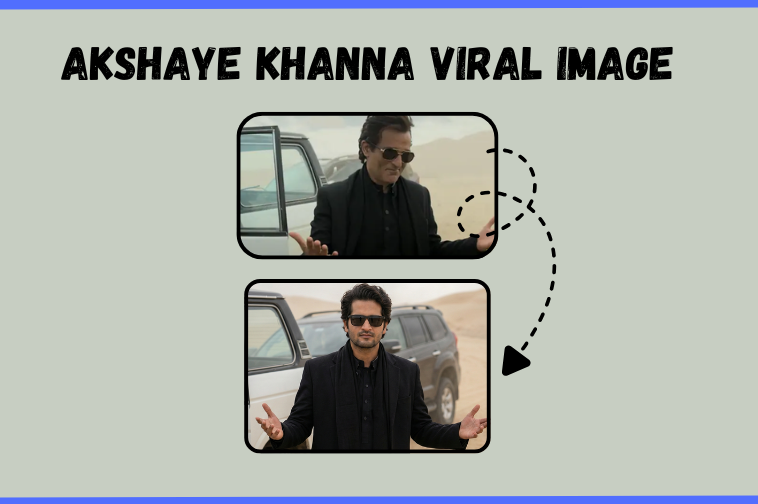
AI image generation has made it possible to recreate almost any cinematic look. If you want to generate your photo in the style of Akshaye Khanna from the Dhurandhar movie, you can easily do it using Google Nano Banana Pro from Gemini. This guide explains the complete process in a simple way. By the end, you will be able to produce a clean, cinematic portrait inspired by Akshaye Khanna’s desert look.
What You Need
Before starting, make sure you have:
- Google Nano Banana Pro access inside Gemini
- A clear reference image of the Dhurandhar movie scene like this image
- Your own face picture with good lighting
- The prompt listed below
Why Use Google Nano Banana Pro
Google Nano Banana Pro is built for fast and realistic image generation. It works well with facial consistency, natural lighting, and cinematic styles. It also performs well with tall vertical formats like 9:16, which is perfect for social media.
Step by Step Guide
Step 1. Prepare your reference images
You will need two images:
- The Dhurandhar scene that shows the angle, posture, and outfit.
- A clear photo of your face.
Gemini will use these to understand your pose and identity.
Step 2. Open Nano Banana Pro in Gemini
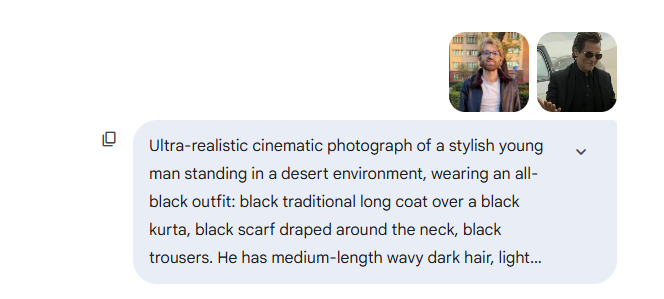
Go to the image generation panel in gemini from here and upload both reference images. Make sure the first image is set as the pose reference and the second one is set as your face reference.
Step 3. Paste the main prompt
Here is the complete prompt you can place inside your blog as given. This is the core part that produces the cinematic Dhurandhar effect.
Prompt to use inside Gemini Nano Banana Pro
Ultra realistic cinematic photograph of a stylish young man standing in a desert environment, wearing an all black outfit: black traditional long coat over a black kurta, black scarf draped around the neck, black trousers. He has medium length wavy dark hair, light stubble, sharp facial features, and is wearing dark rectangular sunglasses. His arms are extended outward with palms slightly open, confident and calm posture. Background shows sandy desert dunes under an overcast sky, with two off road SUVs partially visible behind him, white and dark colored vehicles parked at an angle. Natural soft daylight, muted tones, dusty atmosphere, shallow depth of field. Shot on DSLR, 85mm lens, t 2.8, high resolution, ultra detailed textures, realistic skin tones, cinematic color grading, professional fashion photography, centered composition, eye level angle, photorealistic. First image is the reference for angle and position and second image is my face and the final image should be in 9:16 ratio.
Step 4. Generate your image
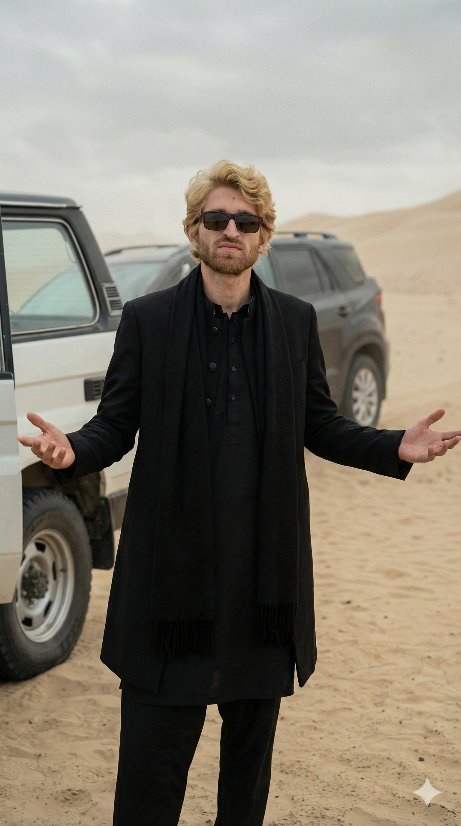
Click generate. The tool will blend your facial features with the Akshaye Khanna style scene and produce a cinematic portrait. If the first result is not perfect, regenerate a few times. Nano Banana Pro improves with slight variations.
Step 5. Adjust and finalize
You can tune brightness, clarity, or crop the image inside your editing tool. For a more authentic Dhurandhar look, lower the saturation and keep the shadows soft.
Tips to Get Better Results
- Use a clear face photo with your head straight.
- Avoid selfies at extreme angles.
- Use lighting that matches the cinematic mood.
- Try two or three reference images for better consistency.
Final Thoughts
Recreating a Dhurandhar inspired cinematic portrait is simple with Gemini’s Nano Banana Pro model. With the right prompt and reference images, you can get a powerful, film like result that looks natural and professional. Feel free to experiment with different backgrounds or outfits for your own creative style.

Great. It is really helpful